how skills work
A skill is a short, readable document that hands MakeMode real know-how for the work you're doing. Here's what a skill is, and how to use one in the chat — walked through with the real app.
what a skill is
Open Skills in the left rail. Every skill is a short document MakeMode can read. It picks the ones that fit what you asked for, and tells you which it used. You can search the library or filter it by persona.
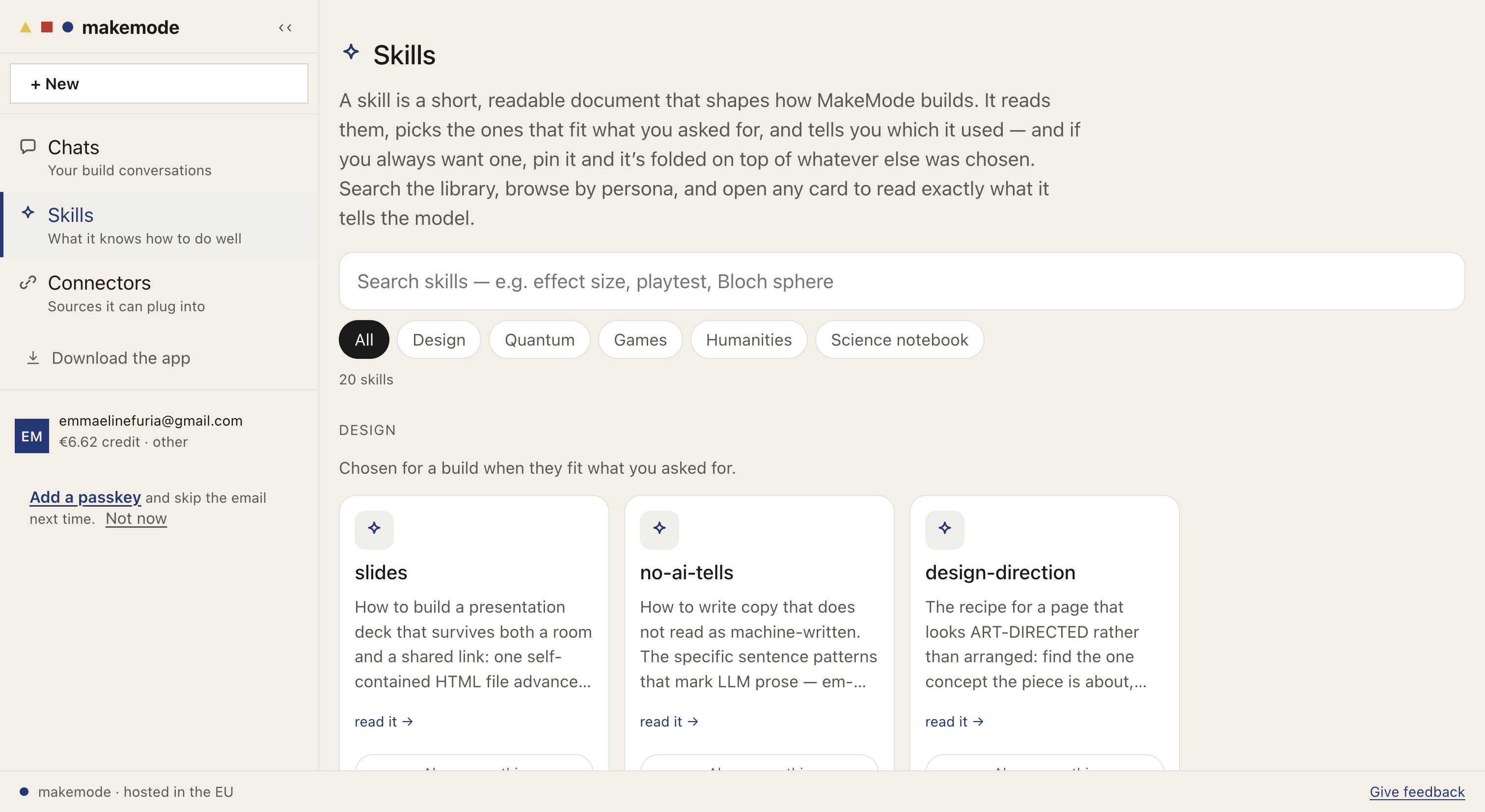
The Skills library — browse or search what MakeMode knows how to do well.
Open any card to read exactly what it tells the model — nothing is hidden. A skill has a description, a FIRES WHEN line (when it's used), and the instructions themselves.
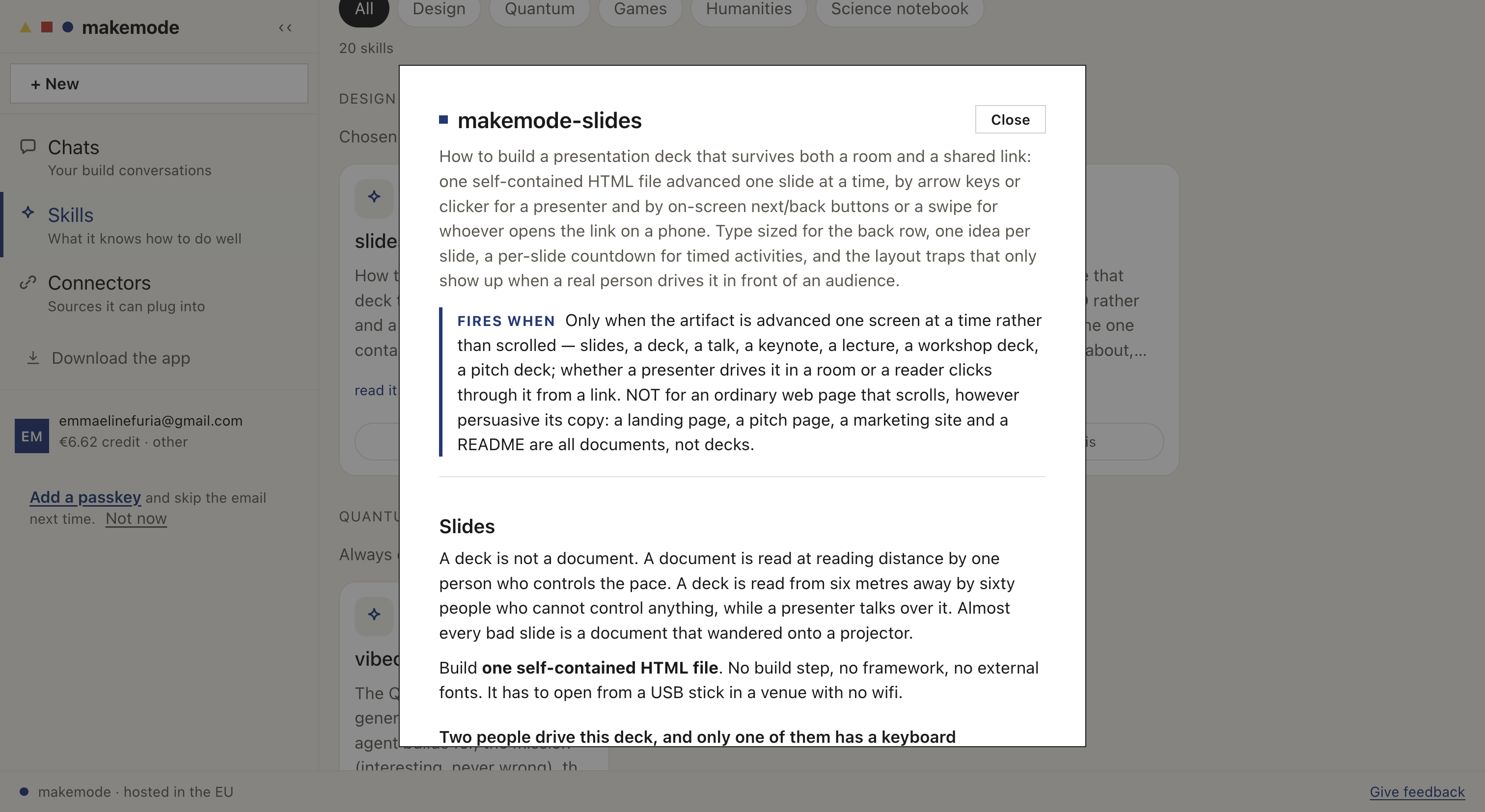
A skill opened — its description, when it fires, and the full instructions.
how to use it in the chat
You don't pick skills by hand. Describe what you want in the chat, and MakeMode chooses the skills that fit. It shows them right there — here, a request for a slide deck pulled in slides and no-ai-tells.
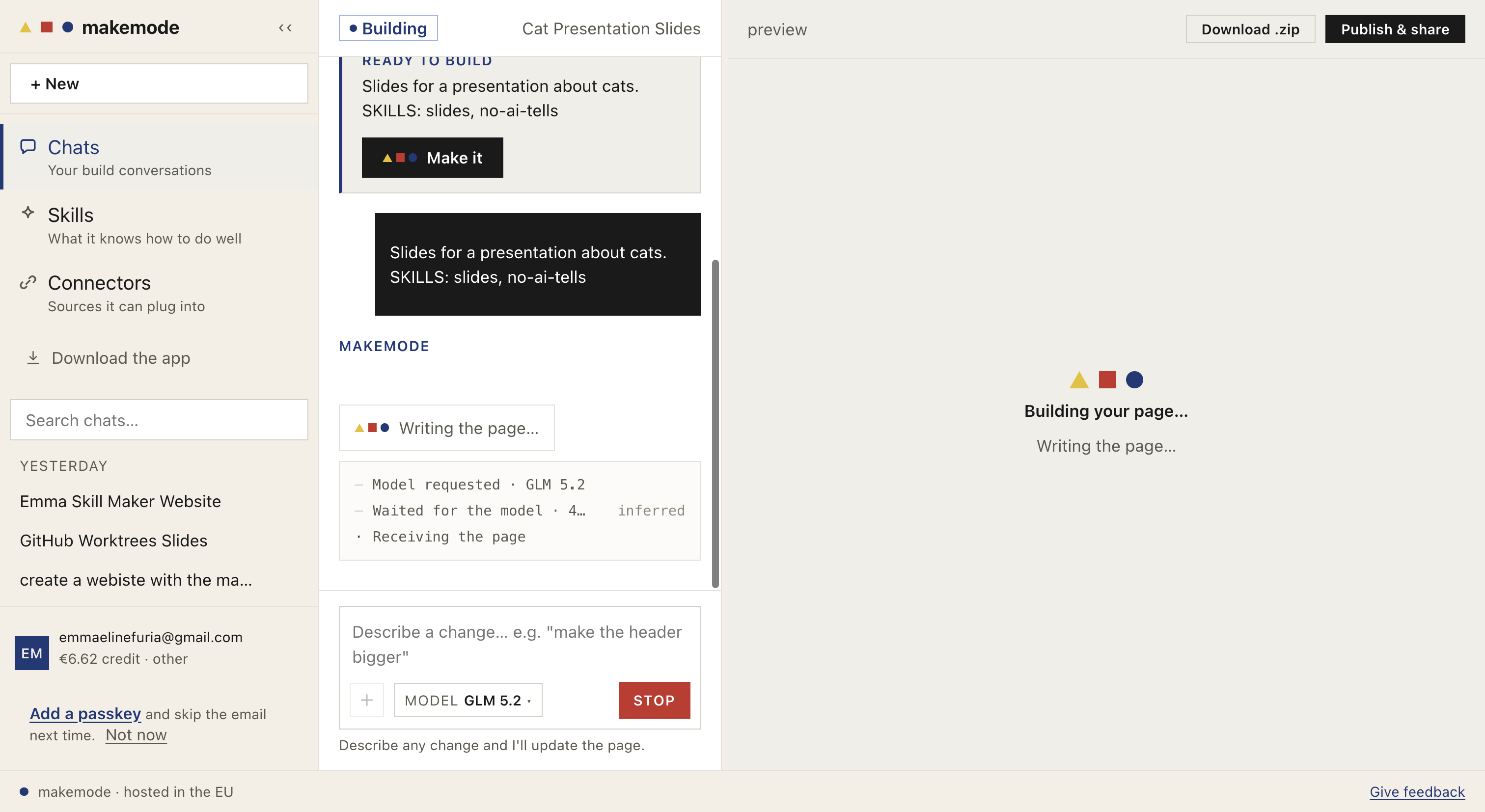
Describe your goal; MakeMode lists the skills it chose (SKILLS: slides, no-ai-tells) before it builds.
- 1
Type what you want to build, in plain words.
- 2
MakeMode reads the library and picks the skills that fit — shown as
SKILLS: … - 3
Press Make it. It builds the page and you see the result in the preview.
- 4
Refine by describing a change, or publish and share the EU link.
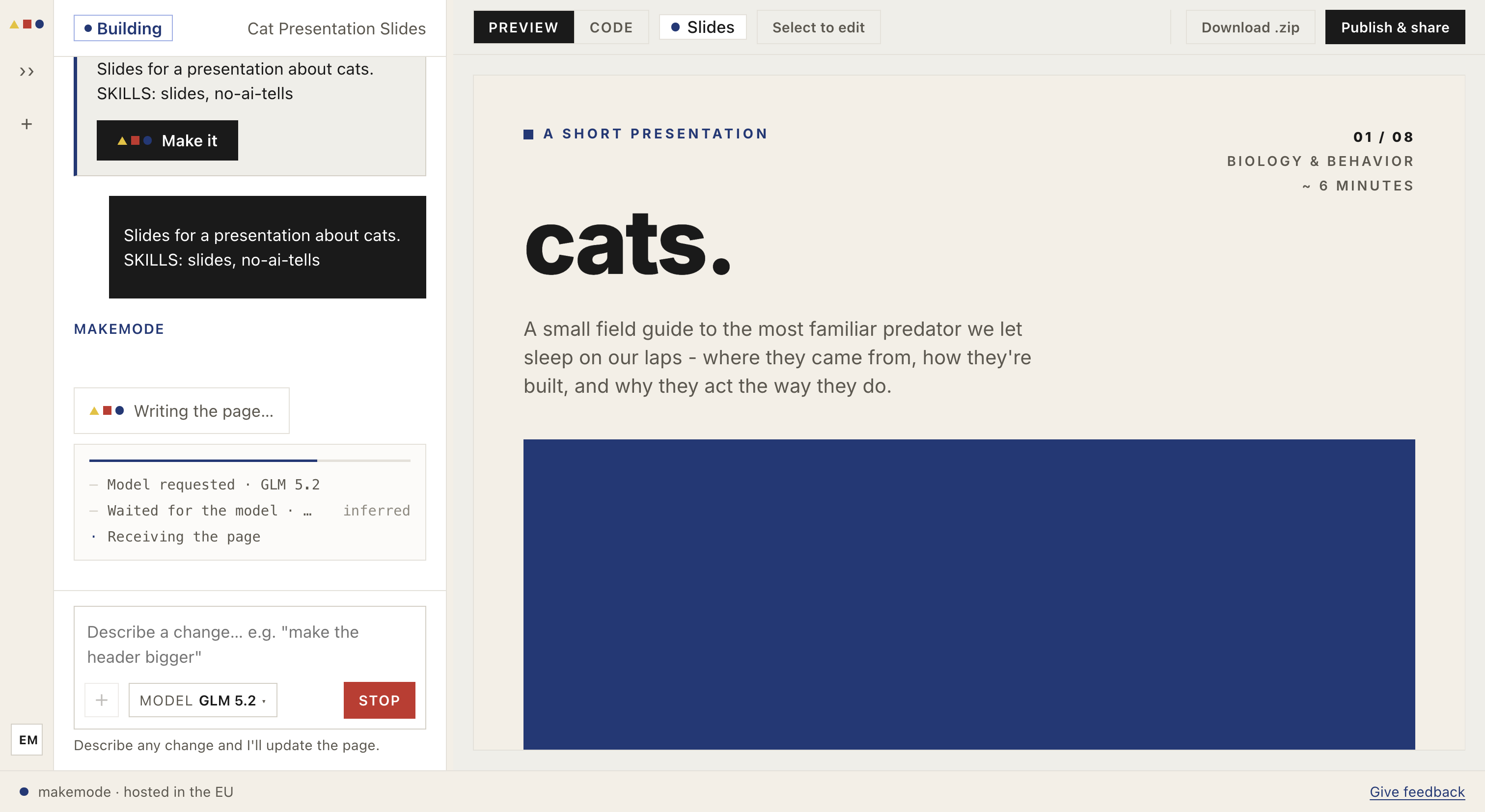
The finished build in the preview — made with the skills it chose.